Order History
The Order History page allows you to track all past and current orders, including their status, payment details, and shipping information.
How to Access
From the left-hand menu, click Order History.
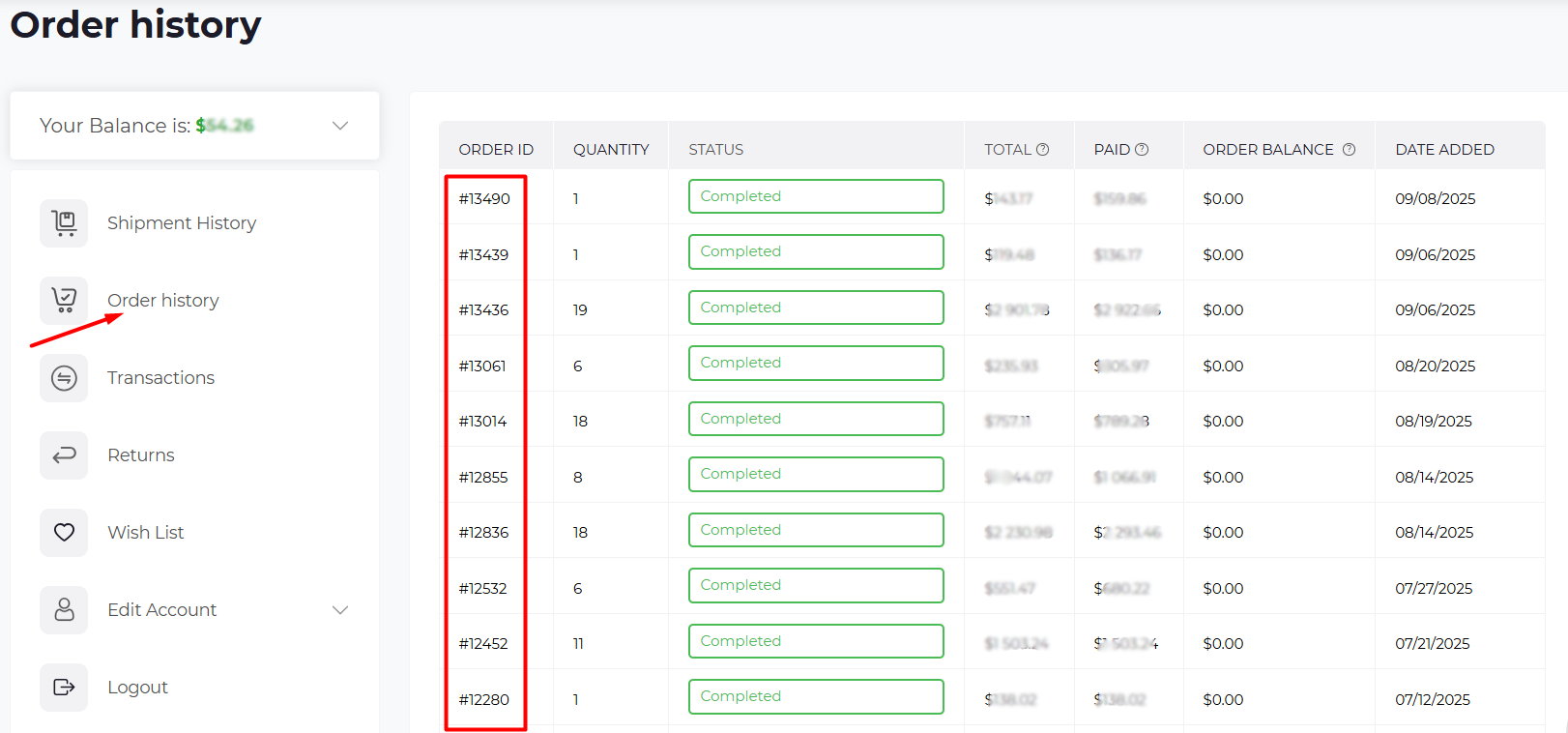
Order List Overview
On this page, you’ll see a list of all your orders with the following details:
-Order ID – A unique number for each order.
-Quantity – Number of items in the order.
- Status – Shows the current progress of the order (e.g., New, Processing, Completed).
- Total – Total cost of the order.
- Paid – Amount already paid.
- Order Balance – Remaining balance, if any.
- Date Added – When the order was placed.
Viewing Order Details
To view full details, click on the Order ID.
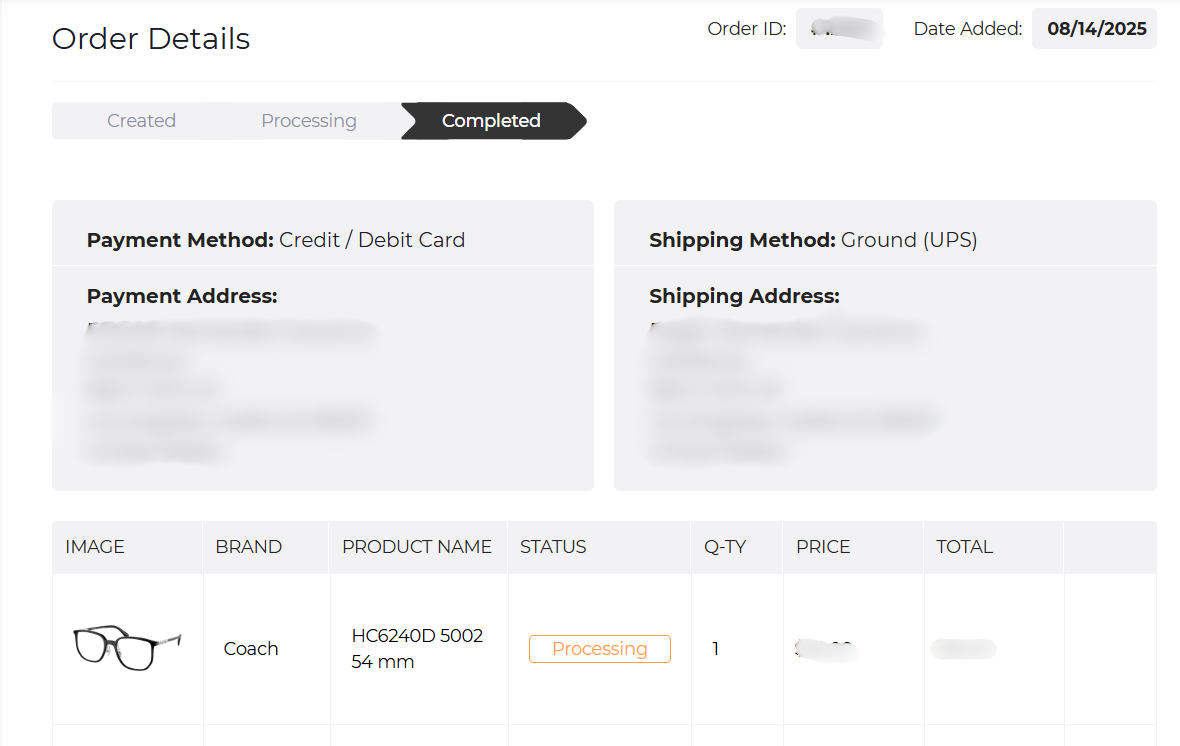
This opens the Order Details page, where you’ll find:
- Order Status Tabs – Track progress: Created → Processing → Completed.
- Payment Method & Address – How you paid and billing info.
- Shipping Method & Address – Delivery details.
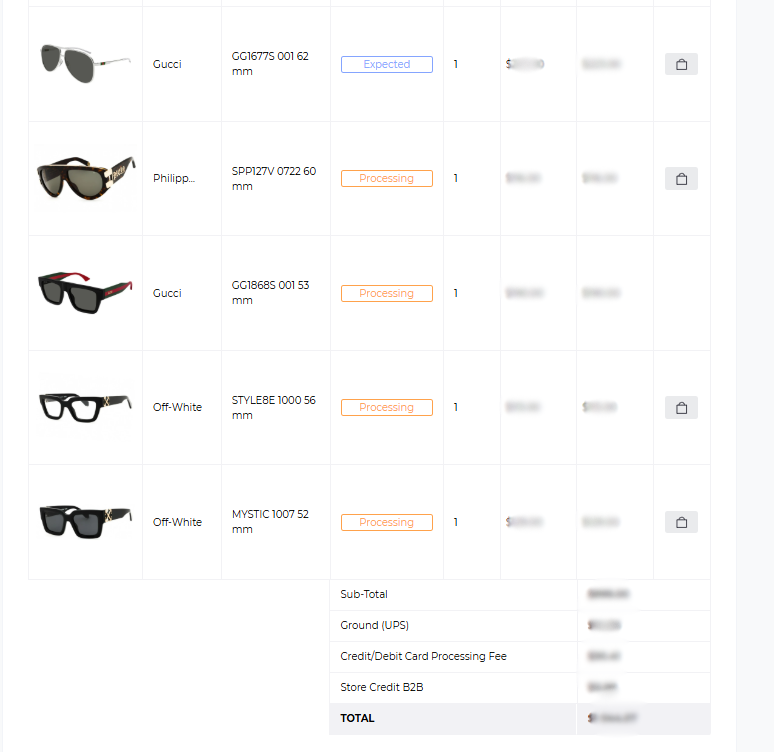
- Product List – Items in your order, with brand, SKU, quantity, price, and status.
Partial Shipments
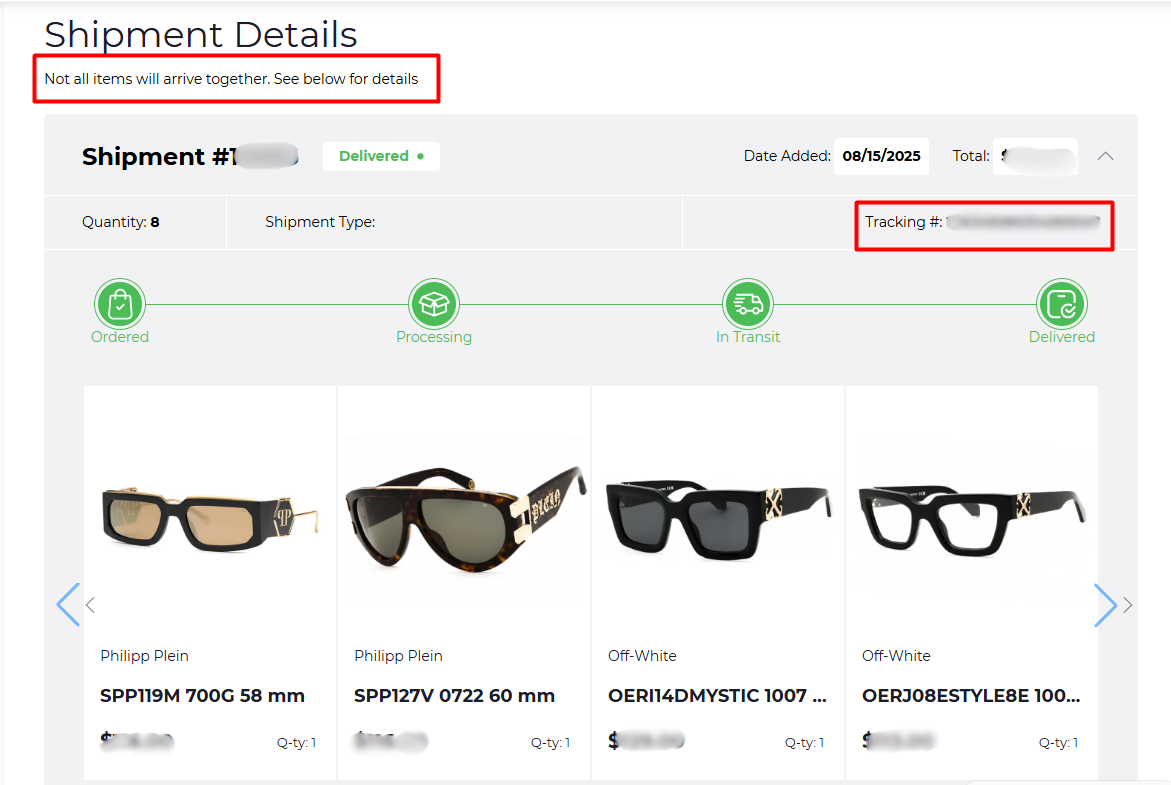
Sometimes orders are shipped in multiple parts. In this case, you’ll see a note such as:
“Not all items will arrive together. See below for details.”
Each shipment will include its own:
- Shipment ID
- Tracking Number
- Product list
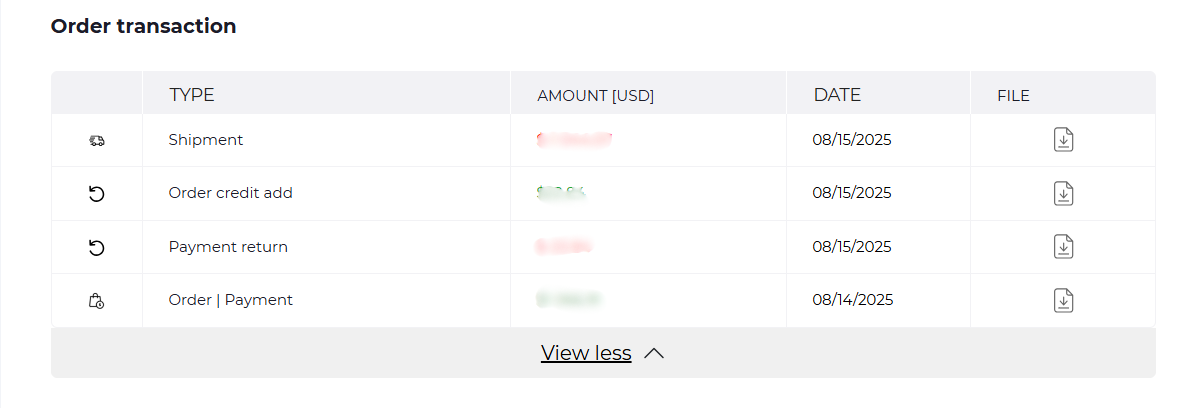
Order Transactions
The Order Transaction section provides financial activity linked to the order:
- Shipments
- Order credits
- Payment returns
- Payment records
You can also download invoices or receipts here.
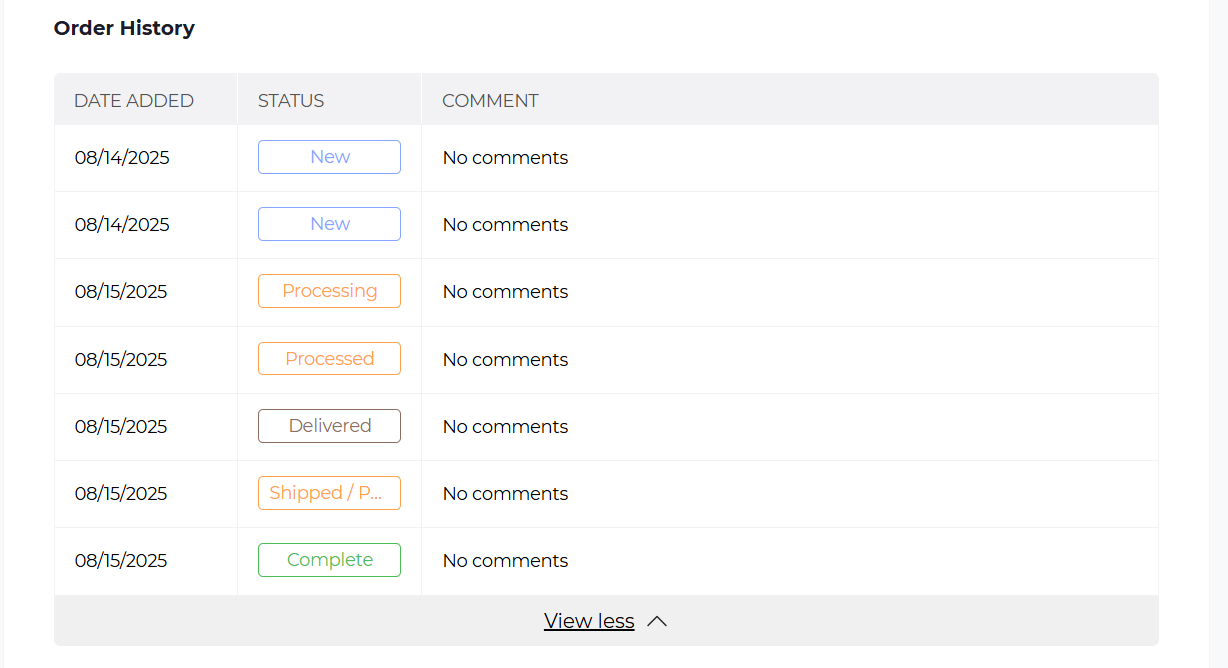
Order History Log
At the bottom, you’ll see a timeline of order updates, including statuses such as:
- New
- Processing
- Processed
- Shipped
- Delivered
- Completed
⚡ Tip for users: Always check the Order Status and Shipment Details if you don’t receive all items at once.