Return History
The Return History section allows you to track all product returns linked to your orders. This ensures transparency in the return process and helps you see the status of any product you’ve sent back.
How to Access
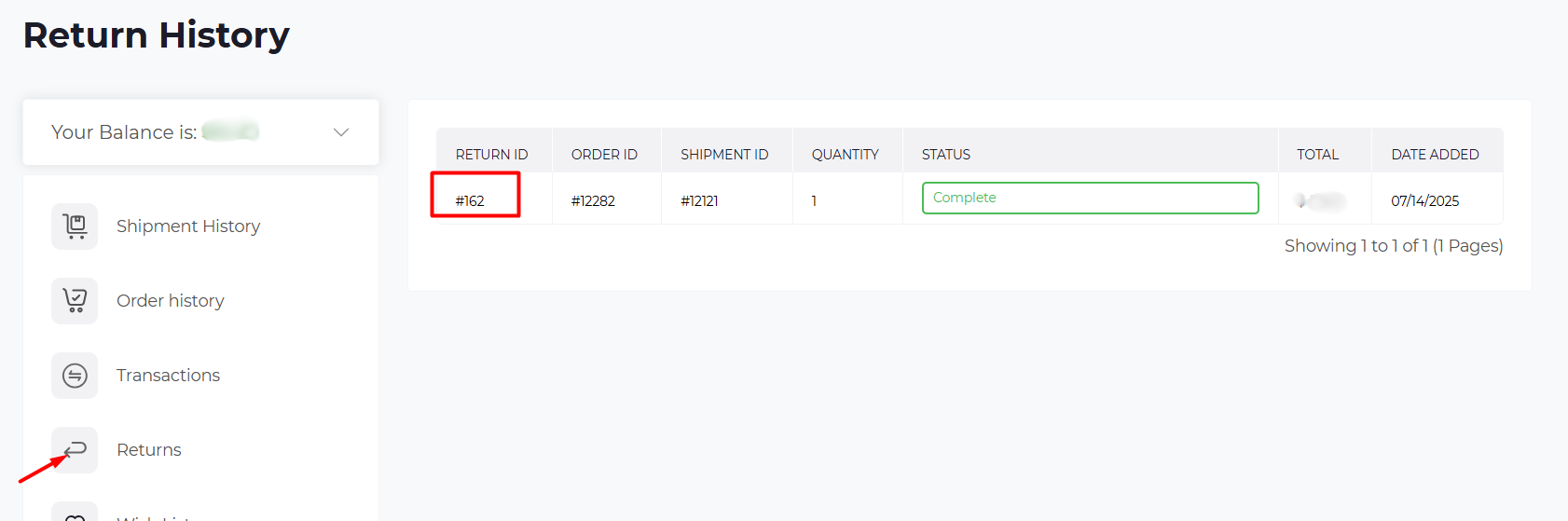
From the left-hand menu, click Returns.
Page Overview
The Return History table shows a quick overview of all your returns. Each row includes:
- Return ID – Unique number for each return request (click to view details).
- Order ID – Links the return to the original order.
- Shipment ID – Connects the return to its shipment.
- Quantity – Number of items returned.
- Status – Current stage of the return process (e.g., Awaiting Products, Complete).
- Total – Value of the return.
- Date Added – The date you submitted the return.
Detailed Return View
Click on a Return ID to see full return details.
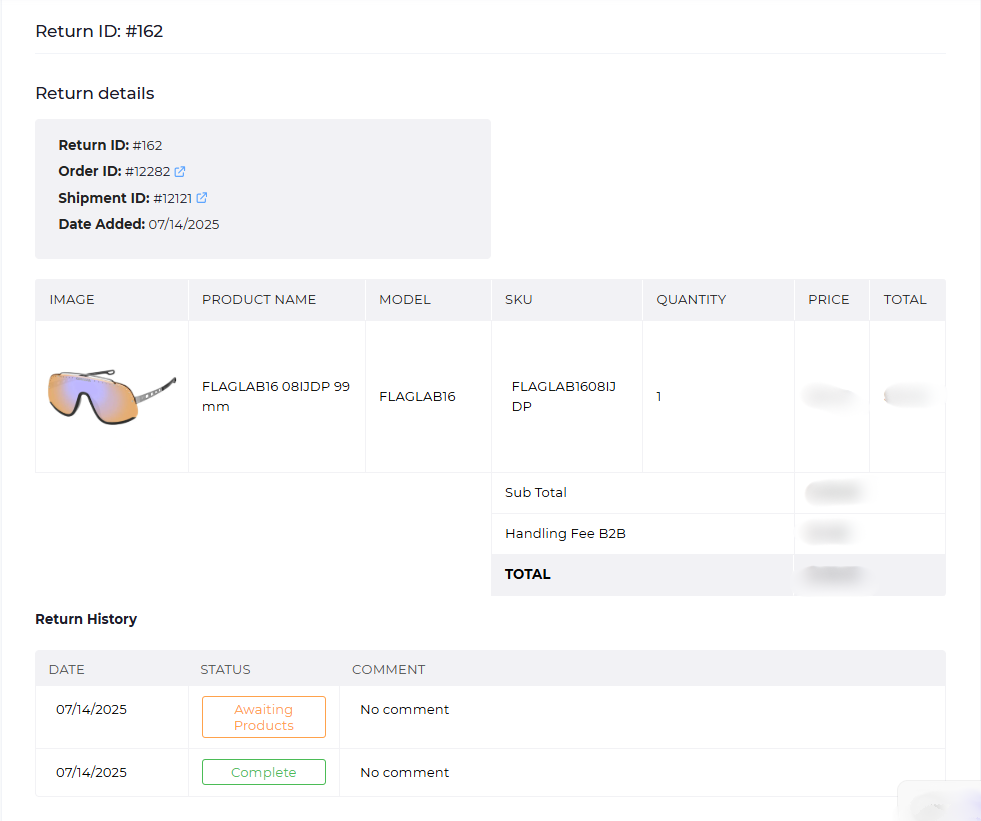
Here you’ll find:
- Return details – Return ID, Order ID, Shipment ID, and submission date.
- Returned items – Each product is listed with image, name, model, SKU, quantity, and price.
- Costs – Includes Sub Total and any applicable Handling Fee B2B.
- Return History log – Timeline showing updates (e.g., Awaiting Products, Complete), with dates and comments.
⚡ Tip for users: Always check the Return History log for the latest status. Once marked as Complete, your refund or store credit will be issued shortly after.